Passa al contenuto
  • +49 40 3680 74990
Igloo
  • 0
  • Accedi
  • AR CS NL EN FI FR DE HI IT PL PT ES SV UK
  • Contattaci
  • Home
  • Negozio
  • Supporto

    Per utente


    Richiesta di supportoSondaggio clientiElenco di tutte le istruzioni per i test Procedura QCValutazione dei risultatiGuida Igloo Reader Pro

    Per produttore di test


    Adattamento del testPasso 1 | Ottieni il tuo Igloo Passo 2 | Calibrazione del test Passo 3 | Posiziona il codice a barre sulla cartuccia

    Per farmacista


    Aggiungi alla mappa della salute Igloo Richiesta di rapporto personalizzato
  • Download
  • Documenti
  • Per aziende


     Per Aziende


    Aziende point-of-care Farmacie Cliniche dentali

    In arrivo*


    Palestra e centri fitness Telemedicina Cosmetologia e saloni di bellezza Assistenza ostetrica
  • Hub scientifico


    Biomarcatori


    Vitamina D FerritinaHbA1c Pannello lipidico e glucosio nel sangueApolipoproteina BLipoproteina APannello epatico (ALT, AST, albumina)Pannello renale (urea, creatinina, acido urico)TestosteroneTSHhs-CRP

    Tecnologia


    Igloo Reader ProDx StudioDx Care

    Azienda


    Informazioni su Dx 365
  • Notizie
  • Contattaci
Igloo
  • 0
    • Home
    • Negozio
    • Supporto
    • Download
    • Documenti
    • Per aziende
    • Hub scientifico
    • Notizie
    • Contattaci
  • +49 40 3680 74990
  • AR CS NL EN FI FR DE HI IT PL PT ES SV UK
  • Accedi
  • Contattaci


Measurement with Desktop App


1


Set Up the Desktop Environment

  • Install Dx365 Care Desktop software on a supported system (Windows/macOS) by downloading it from the official Dx365 support portal: https://www.igloo.today/downloads
  • Ensure the computer is connected to the internet for initial calibration downloads.
  • Power on the Igloo Reader Pro.
  • Connect the reader to your computer via USB-C cable.

2


Device preparation

  • Open Dx365 Care Desktop and wait for the Igloo Reader to be detected.
  • Switch on the device and press new measurement.
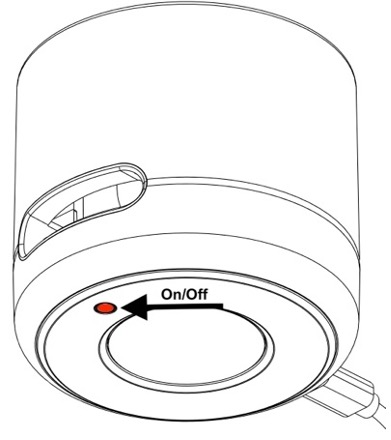
                         

  • Fill in Patient ID, age and gender.

3


Sample preparation

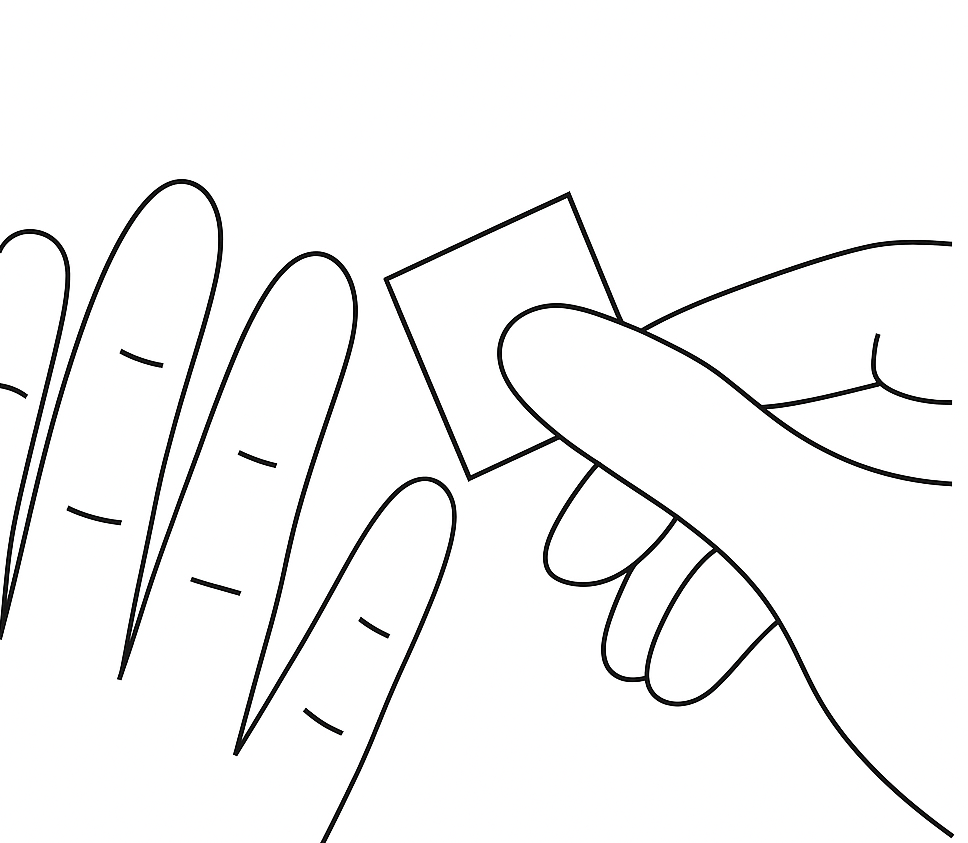
  • Disinfect finger with a tissue                      
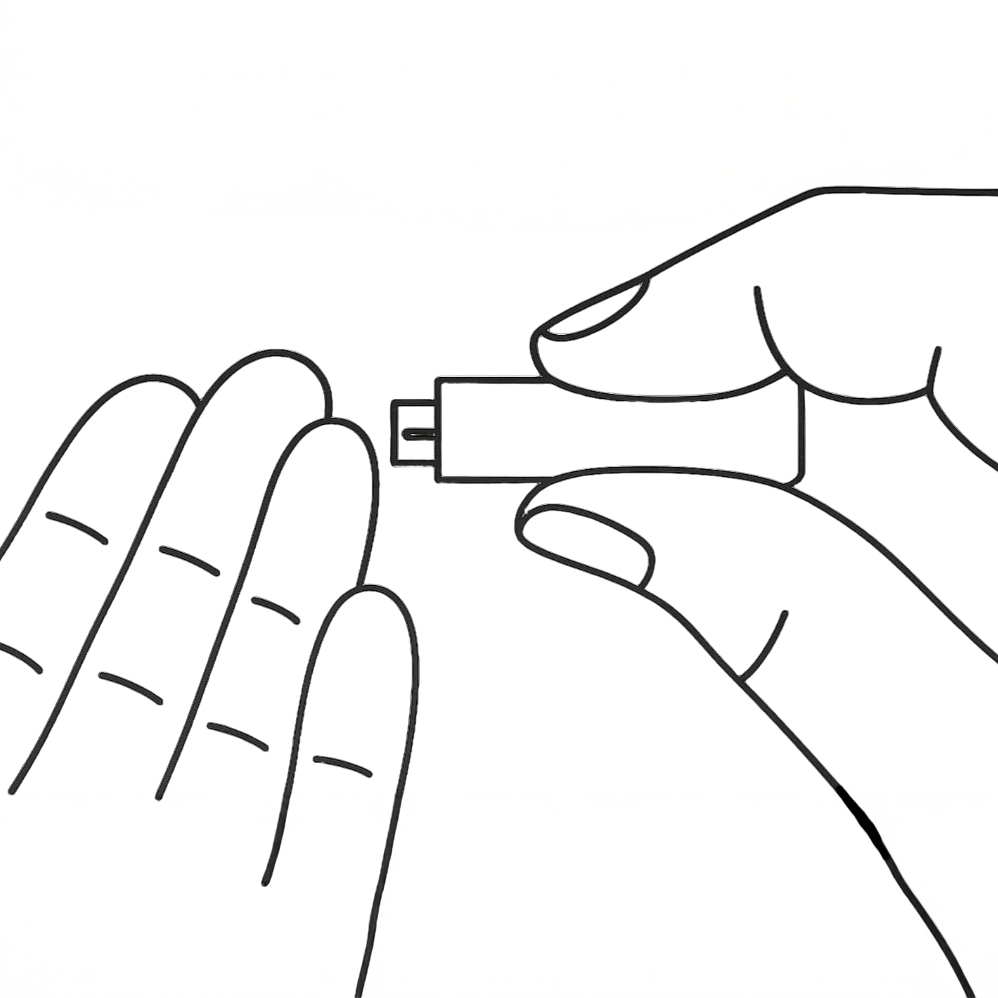
  • Puncture finger with a lancet


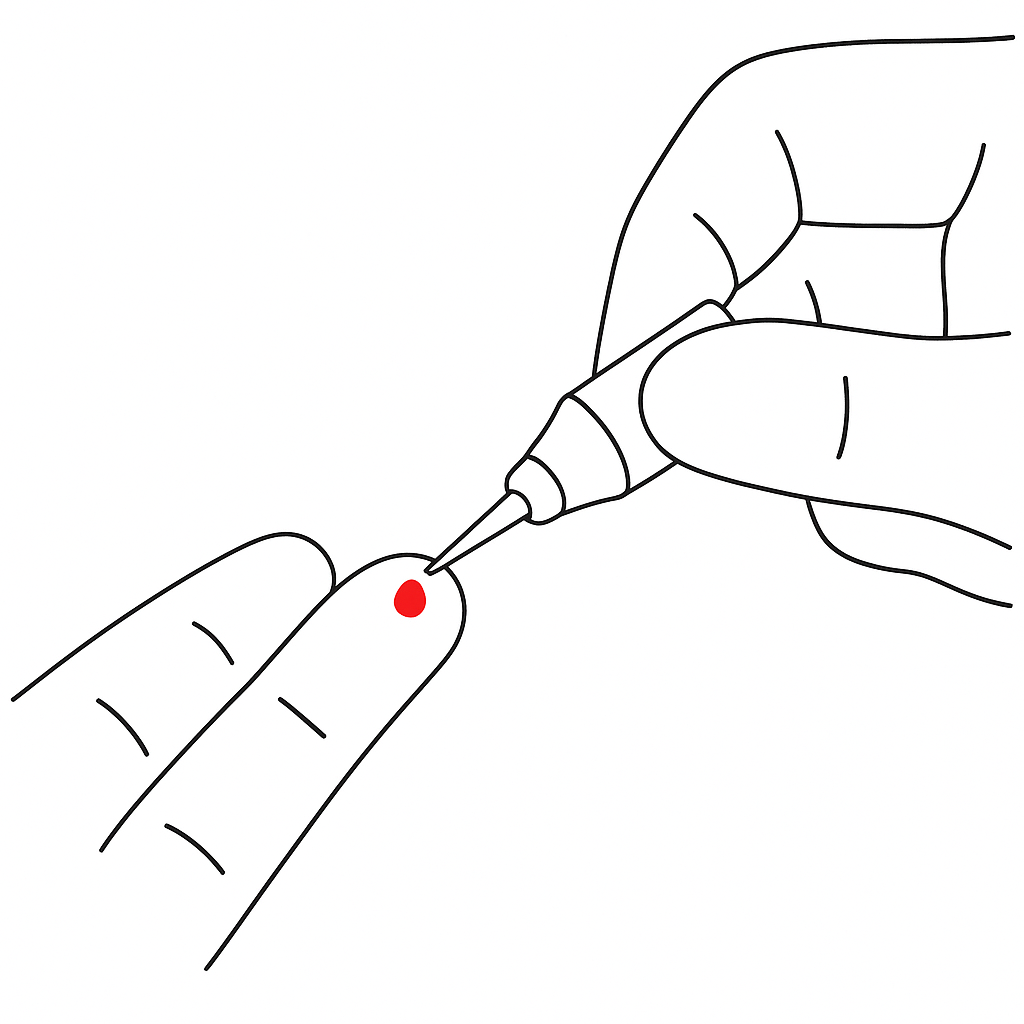
  • Draw blood with a capillary                
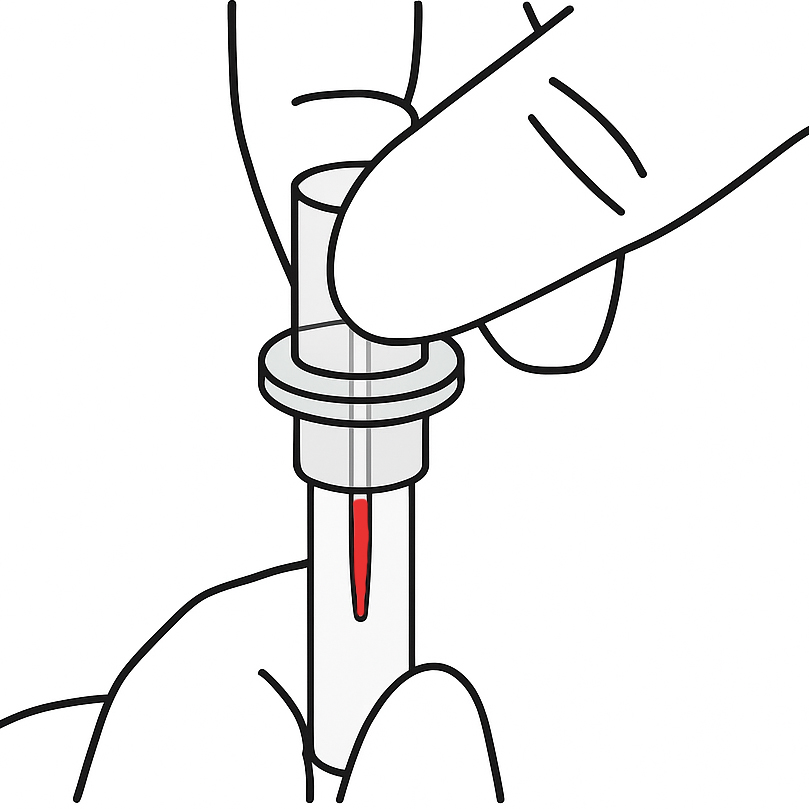
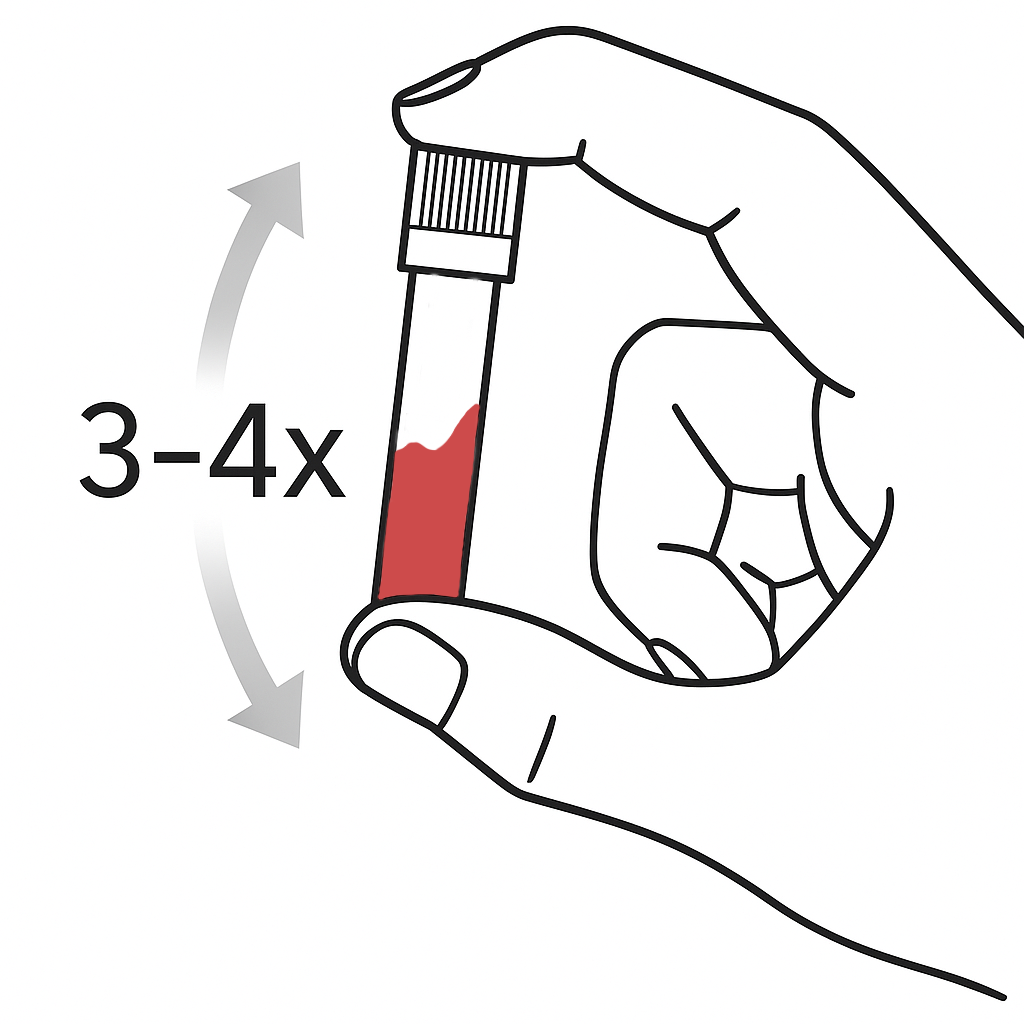
  • Mix blood with buffer


4


Start measurement 

  1. Add blood with buffer to test cassette
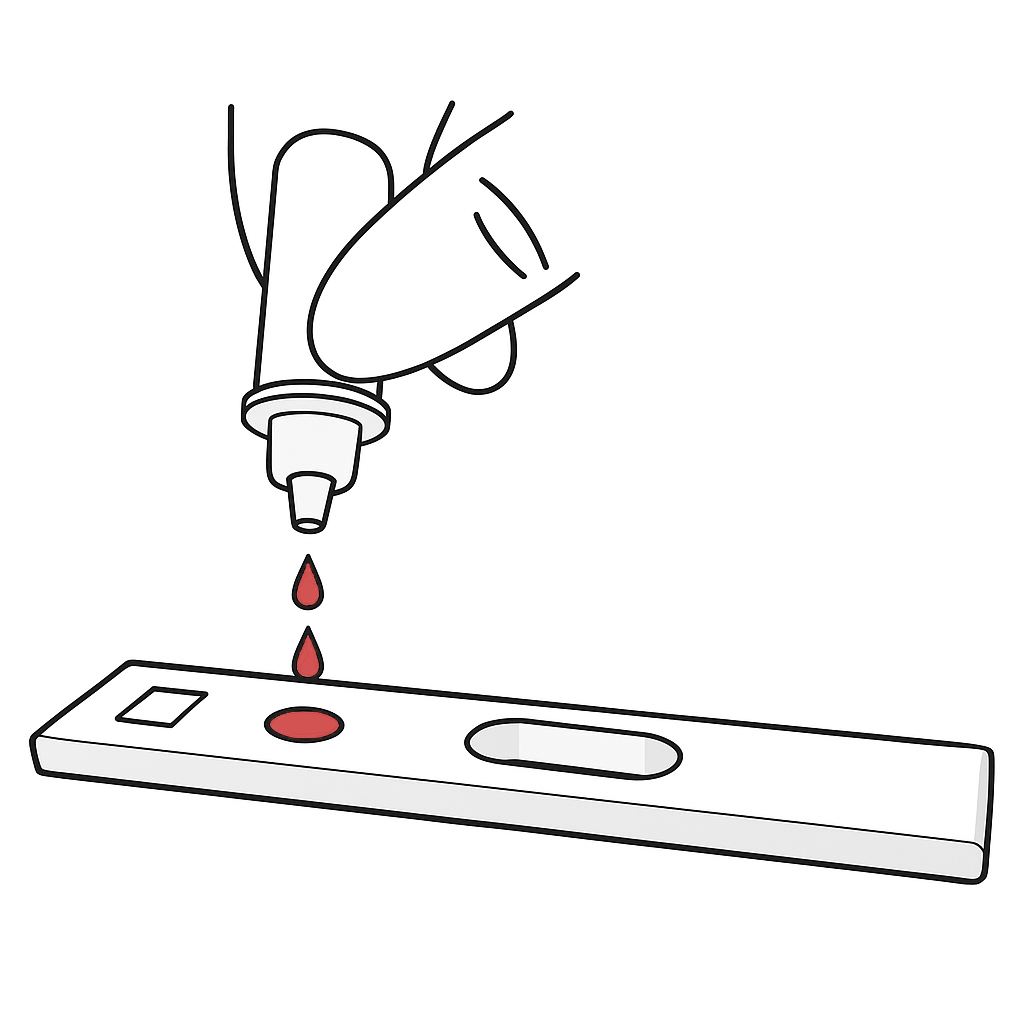
  2. Insert the cassette with the adapter into the Igloo Reader
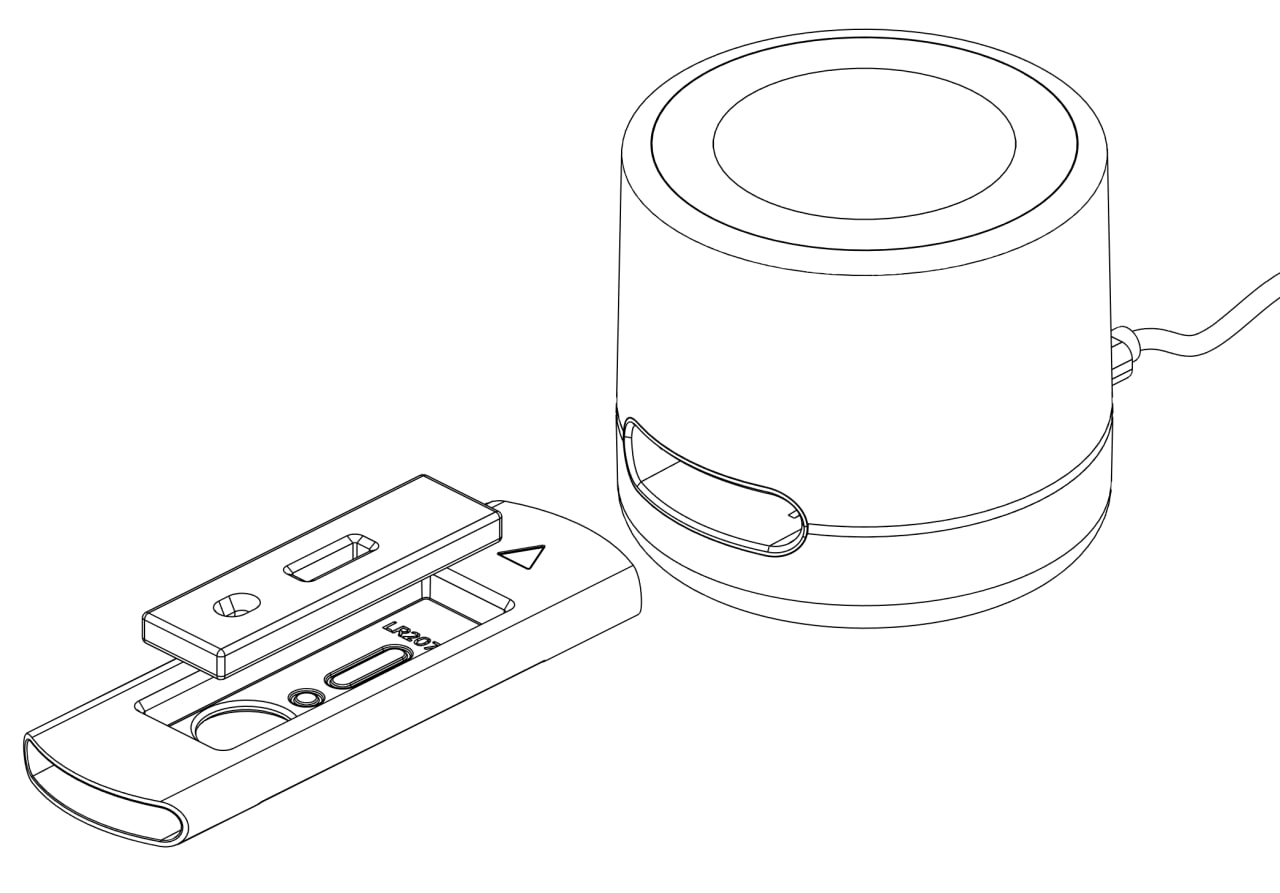
  3. The measurement will start automatically and the device will display the incubation timer on the screen. Within 3-15 minutes (depending on the type of test) you will get the result.


5


View and Export Results

  • Once the test is complete, the results will appear directly in the Dx365 Desktop interface.
  • Available actions:
    • Export results as PDF or Excel (.xls)
    • Print the report
    • Send to cloud for syncing with Dx365 Cloud
Legale

  • Impronta
  • Informazioni legali
  • Informativa sulla privacy
  • Informativa sui cookie
  • Termini e condizioni di vendita


Assistenza clienti

  • Centro richieste di supporto
  • Contattaci
  • Download
  • Documenti
  • Istruzioni per il test
  • Istruzioni del produttore del test
Supporto telefonico

  • +49 40 3680 74990
Reti sociali

Social Media

© Dx365 GmbH - Termini e condizioni - Informativa sulla privacy
الْعَرَبيّة | Čeština | Nederlands | English (US) | Suomi | Français | Deutsch | हिंदी | Italiano | Język polski | Português | Español | Svenska | українська
Fornito da Odoo - Il n° 1 tra gli e-commerce open source

Rispetto della tua privacy è la nostra priorità.

Consentire l'uso dei cookie da questo sito web su questo browser?

Utilizziamo i cookie per fornire un'esperienza migliorata su questo sito web. Puoi saperne di più sui nostri cookie e su come li utilizziamo nella nostra Politica sui cookie.

Consenti tutti i cookie
Consenti solo i cookie essenziali